


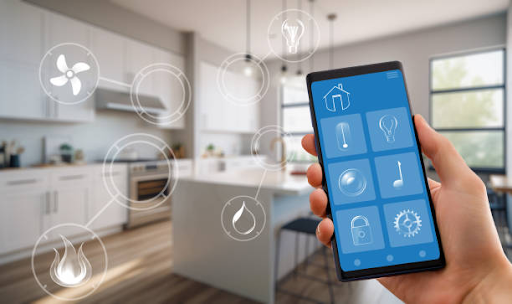
Have you ever wished your home could handle a few everyday tasks without needing your constant attention? Imagine switching off bedroom lights from your phone, adjusting the room temperature before arriving home, or checking who’s at the front door without leaving your desk.
Smart home technologies make many of these activities possible through connected devices, sensors, and automated controls. They can help simplify household routines, improve accessibility, and provide useful information about energy consumption.
However, not every smart device is necessary for every household. Understanding how these technologies work, what they cost, and which privacy settings they require can help homeowners make sensible decisions.
1. Smart Lighting Systems
Smart lighting allows homeowners to control compatible bulbs and fixtures through mobile applications, voice assistants, or automated schedules.
Instead of walking around the house switching lights off, users can manage several rooms from one device.
Make Lighting Match Your Routine
Smart bulbs can be programmed to turn on at sunset or dim during the evening. Some also support adjustable brightness and colour temperature.
Before purchasing, check bulb compatibility, wireless connectivity requirements, and whether a separate hub is needed.
2. Smart Thermostats for Temperature Control
Heating and cooling systems can consume considerable energy, particularly during extreme weather.
Smart thermostats help manage compatible heating and cooling equipment through schedules, remote controls, and, in some models, occupancy-based adjustments.
Use Temperature Scheduling Wisely
For example, a thermostat may reduce heating or cooling when nobody is home and restore a comfortable temperature before residents return.
However, actual energy savings depend on the home’s insulation, climate, equipment, and existing habits.
3. Smart Door Locks
Traditional keys can be inconvenient when household members regularly arrive at different times.
Smart locks may offer alternative access methods, including PIN codes, smartphone controls, or compatible biometric identification.
Manage Household Access Carefully
Some models allow temporary access codes for approved visitors, which can be useful when someone needs scheduled entry.
Choose locks with suitable physical security features, maintain updated software, and understand how the lock operates during power or internet outages.
Keep an appropriate backup entry method available.
4. Video Doorbells
Video doorbells allow homeowners to view visitors through a connected camera, often using a mobile application.
Many models include motion notifications and two-way communication, although capabilities differ.
Check Visitors Without Opening the Door
A video doorbell can help residents communicate with delivery personnel or identify unexpected visitors.
Before installing one, consider camera positioning, recording storage costs, and neighbouring properties’ privacy.
Use strong account security and review who can access recorded footage.
5. Smart Security Cameras
Home security cameras provide visual monitoring of selected indoor or outdoor areas.
Depending on the model, they may include motion alerts, night vision, and recorded footage.
Position Cameras Responsibly
Focus cameras on relevant entry points and areas where monitoring is appropriate.
Avoid placing cameras in private spaces or recording neighbours unnecessarily.
Security cameras can provide useful information, but they cannot guarantee that burglaries or other incidents will be prevented.
6. Smart Plugs for Everyday Appliances
Smart plugs are relatively simple devices that allow compatible electrical appliances to be switched on or off remotely.
They can also support scheduled operation, making them useful for certain lamps and other suitable household devices.
Avoid Unsafe Appliance Connections
For example, a lamp connected to a smart plug can be scheduled to switch off at bedtime.
Always check the plug’s electrical rating and the appliance manufacturer’s instructions.
Avoid using ordinary smart plugs with heaters or other high-power equipment unless the manufacturer explicitly confirms compatibility and safe operation.
7. Robot Vacuum Cleaners
Cleaning floors regularly can be time-consuming, particularly in households with pets or children.
Robot vacuum cleaners use sensors and navigation systems to move around rooms and collect dust and debris. Some models also offer mopping features.
Automate Routine Floor Cleaning
Schedule cleaning sessions when rooms are relatively clear of obstacles.
Remove loose cables, small objects, and delicate items before starting the device.
Robot vacuums can reduce routine cleaning work, but they don’t completely replace manual cleaning, especially around stairs, corners, and heavily soiled areas.
8. Smart Speakers and Voice Assistants
Smart speakers allow users to control compatible devices, set reminders, check schedules, and access information using voice commands.
They can be particularly useful when someone’s hands are occupied with cooking or other household activities.
Connect Everyday Household Tasks
For example, a voice command could turn off compatible lights, set a timer, or adjust a supported thermostat.
Some households also use voice assistants to control entertainment equipment and access online services.
When exploring digital entertainment websites such as pg123, users should still check privacy settings, verify website information, and establish appropriate screen-time boundaries. Gambling-related activities should always be treated as entertainment rather than a source of income.
Review voice assistant privacy controls and disable unnecessary permissions.
9. Smart Water Leak Detectors
Water leaks can develop behind appliances, beneath sinks, or near plumbing connections without immediate warning.
Smart water leak detectors use sensors to identify moisture and send alerts through compatible applications or hubs.
Place Sensors in High-Risk Areas
Consider installing suitable detectors near washing machines, water heaters, and under-sink plumbing.
Some systems can connect to automatic water shutoff equipment, although this requires compatible hardware and appropriate installation.
Remember to test sensors and replace batteries according to manufacturer recommendations.
10. Smart Blinds and Curtains
Motorized blinds and curtains allow homeowners to control window coverings through remotes, applications, or scheduled automation.
They can improve convenience in rooms with difficult-to-reach windows and may help manage sunlight entering the home.
Control Natural Light Automatically
Schedule blinds to open in the morning or close during bright afternoon hours.
Before installation, measure windows carefully and check power requirements. Some models use rechargeable batteries, while others require wired power connections.
Also, consider manual operation options in case the motor or control system fails.
11. Smart Energy Monitoring Devices
Understanding household electricity consumption can help homeowners identify energy-intensive appliances and unnecessary usage.
Smart energy monitors may provide information about overall electricity consumption or individual circuits, depending on their capabilities.
Identify Opportunities to Reduce Energy Waste
For example, a monitoring system might help compare electricity consumption before and after changing air-conditioning schedules.
However, some devices estimate usage rather than measuring every appliance independently.
Choose equipment that matches your electrical system, and use a qualified electrician for installations involving household wiring.
12. Smart Smoke and Carbon Monoxide Alarms
Household safety is another area where connected technology can provide additional convenience.
Certain smart smoke and carbon monoxide alarms can send notifications to connected devices when they detect a potential emergency.
Maintain Safety Equipment Properly
Install appropriate alarms according to local safety requirements and manufacturer instructions.
Test them regularly, monitor battery status, and replace units when required.
Smart notifications are useful, but alarms must still provide effective local warnings. Never depend entirely on a phone notification during an emergency.
What to Check Before Investing in Smart Home Technology
Not every smart device works with every home automation system. Before spending money, homeowners should consider compatibility, installation requirements, ongoing costs, and long-term support.
Check whether devices support existing smart home platforms or interoperability standards such as Matter, which can make compatible products from different manufacturers easier to manage together.
Also review software update policies, subscription charges, privacy controls, and operation during internet outages.
For beginners, starting with one or two practical devices is often better than replacing several household systems simultaneously.
Conclusion
Smart home technologies can make everyday living more convenient by automating repetitive tasks, improving household monitoring, and simplifying device controls. Smart lighting, connected thermostats, security devices, and cleaning equipment each address different household needs.
However, convenience should always be balanced with cost, privacy, security, and compatibility. The most expensive technology isn’t necessarily the most useful choice.
